The landmark guideLandmark Screens
Nasdaq Tower Billboard: Specs, Costs, Hours & Booking Landmark advertising guide
Nasdaq Tower, 4 Times Square, New York
Plan Nasdaq Tower billboard advertising with January 2026 creative specs, operating hours, Bell blackouts, product distinctions, Times Square context and quote guidance.
- Environment
- Landmark Screens
- Location
- Nasdaq Tower, 4 Times Square, New York
- Site type
- Landmark full-motion digital facade screen

Quick answer and planner verdict
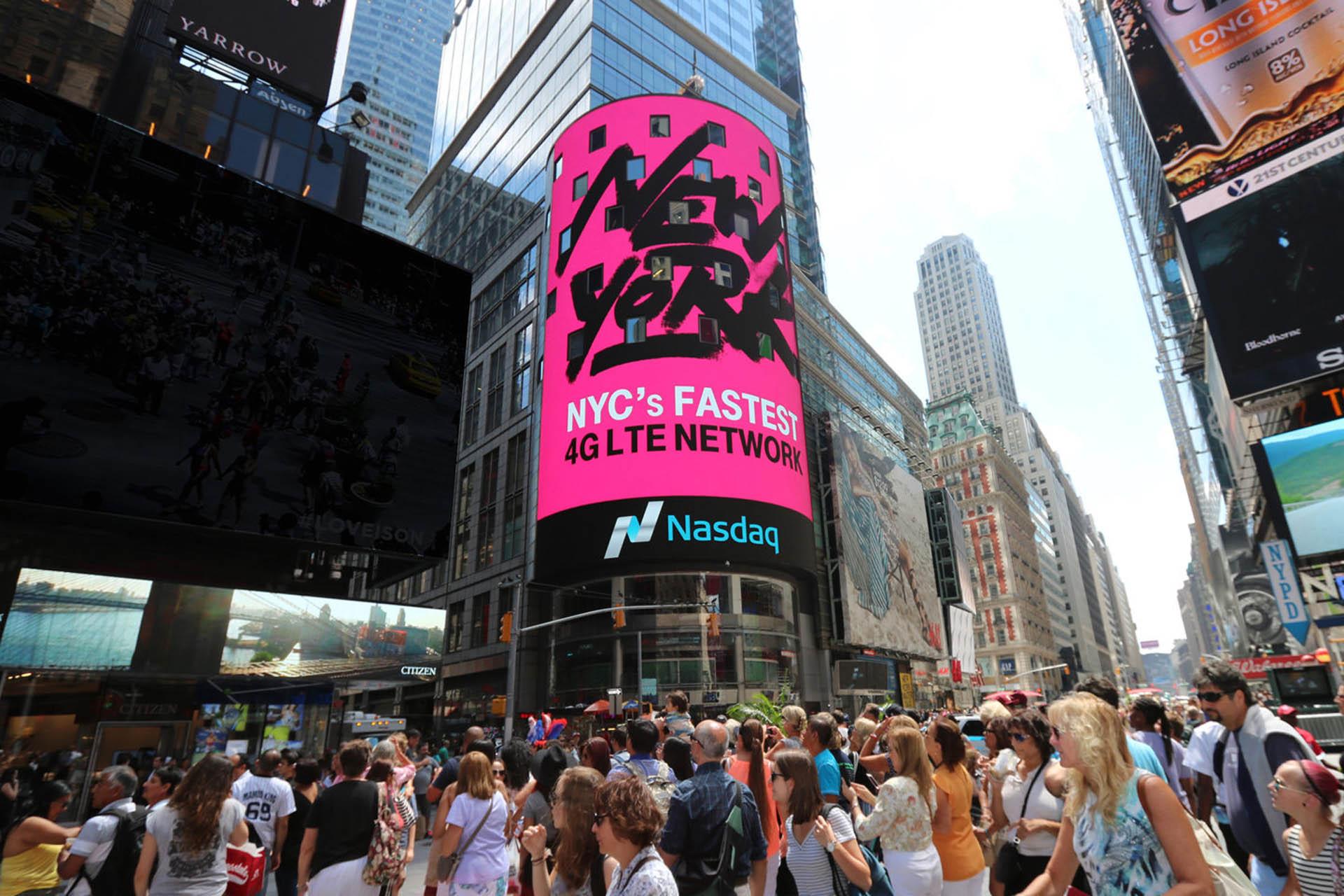
The Nasdaq Tower is a curved, full-motion digital display wrapped around Nasdaq MarketSite at 4 Times Square, at Broadway and West 43rd Street. The January 2026 production specification lists the Tower at 120 ft high by 84 ft wide, with a 1,832 x 2,336 pixel creative canvas, 15-second creative, 30 FPS and no audio. Buy the Nasdaq Tower because the MarketSite context strengthens the idea, not merely because it is a large LED facade. It is particularly relevant for listings, finance, fintech, technology, corporate milestones and PR-led launches.
| Field | Current planning value |
|---|---|
| Product | Nasdaq Tower |
| Address context | 4 Times Square, Broadway and West 43rd Street, New York |
| Format | Full-motion digital |
| Physical dimensions | 84 ft W x 120 ft H |
| Nominal physical area | 10,080 sq ft / approximately 936.5 sq m |
| Creative canvas | 1,832 px W x 2,336 px H |
| Creative duration | 15 seconds |
| Frame rate | 30 FPS |
| Audio | Not supported |
| Operating schedule | 06:00-02:00 daily, subject to stated weekday Bell blackouts |
| Facing | Northwest; assess the curved facade from actual approach angles |
| Unit ID | Nasdaq |
| Geopath ID | 30711014 |
| Product coordinates | 40.756374, -73.986059 |
| Pricing | Quote-only; depends on dates, hours, delivery and package |
| Specification date | January 23, 2026 |
Location & surroundings
Explore Nasdaq Tower, 4 Times Square, New York and the surrounding streets. Use the map to review the setting and nearby approaches.
Location
Nasdaq Tower, 4 Times Square, New York- City
- New York, United States
- Region
- North America
- Environment
- Landmark Screens
- Coordinates
- 40.75637, -73.98606
- DMS
- 40°45'22.9"N 73°59'9.8"W
Drag to pan, scroll to zoom, right-drag to orbit.© Mapbox© OpenStreetMap
Site reference
- City
- New York, United States
- Region
- North America
- Site type
- Landmark full-motion digital facade screen
- Market structure
- Single landmark digital display, distinct from TS2, Marquee and Bell Ceremony products
- Physical dimensions
- 84 ft W x 120 ft H
- Creative canvas
- 1,832 px W x 2,336 px H
- Creative duration
- 15 seconds
- Operating schedule
- 06:00-02:00 daily, subject to weekday Bell blackouts
- Pricing
- Quote-only
Location, display and verified facts
The product sheet lists the display as northwest-facing. Because the Tower follows a curved building facade, real visibility should be evaluated from street-level approach angles rather than treated like a flat roadside screen with a single sightline. The January 2026 production sheet lists the display as 120 ft high by 84 ft wide, producing a nominal facade area of 10,080 sq ft, or approximately 936.5 square metres. Nasdaq markets the screen as approximately 10,000 sq ft of branding space; the difference is normal rounding, not a competing size claim.
Nasdaq Tower versus TS2, Marquee and Bell Ceremony products
The dimensions, pixel canvas, 15-second duration, 30 FPS, operating hours, Bell blackouts, facing, unit ID and Geopath ID in this guide apply to the Nasdaq Tower unit only. Do not apply them automatically to TS2, Reuters screens, the Nasdaq Marquee or Bell Ceremony packages.
- Every proposal must name the exact product or combination.
- Every included screen and face should be listed.
- The proposal should state whether content is synchronised and how delivery is divided across screens.
- Ordinary rotation, exclusive time, filming, photography and event services should be separated.
| Product | What it is | What the supplied evidence verifies |
|---|---|---|
| Nasdaq Tower | Curved landmark display on the MarketSite building | Exact Tower product and production data |
| TS2 | Package combining the Tower with screens on the Reuters building | No current technical or delivery specification for the complete package |
| Nasdaq Marquee | Two lower screens above the MarketSite entrance | No current technical specification in the supplied PDFs |
| Bell Ceremony branding | Special event product that can include exclusive Tower time for eligible participants | Separate from ordinary rotating Tower advertising |
Creative specification and window template
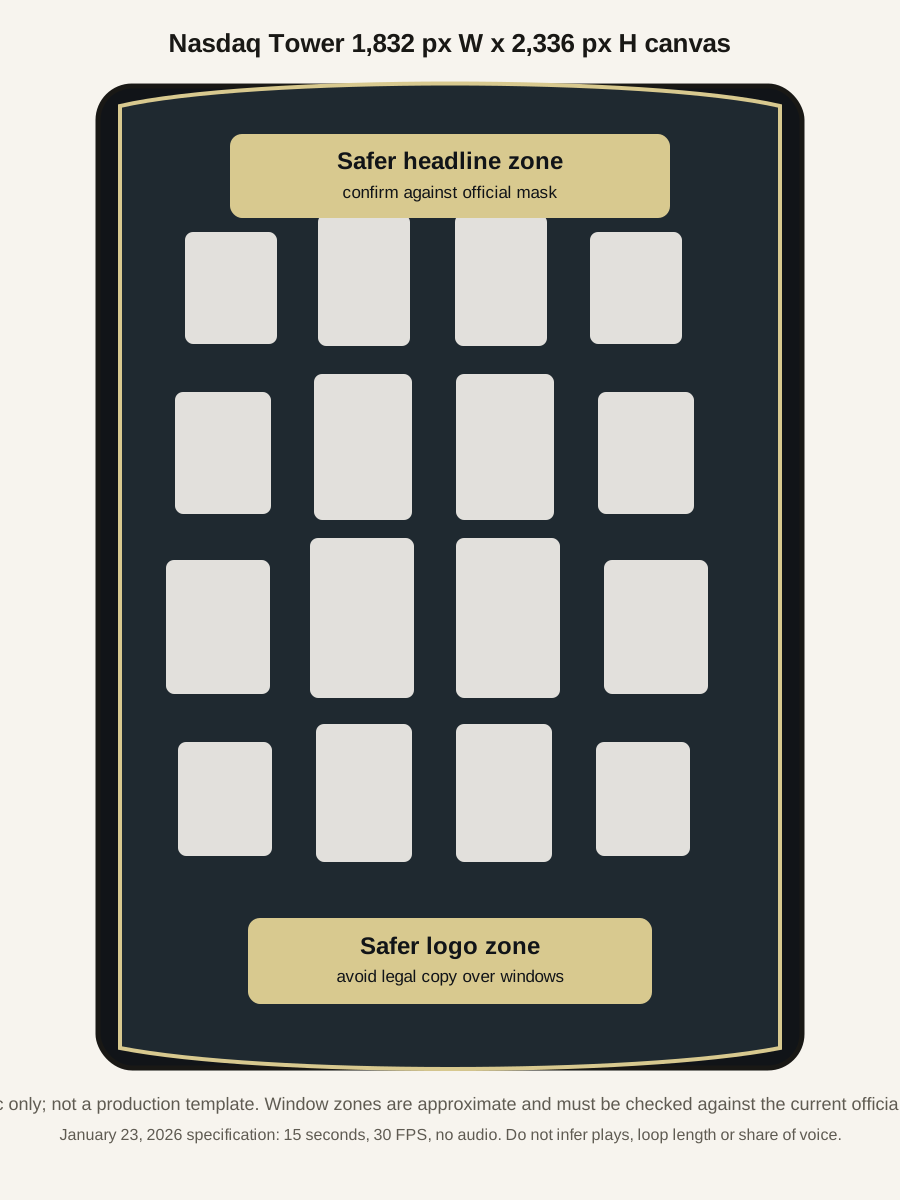
Do not create artwork from the nominal 84:120 physical ratio. Use the current 1,832 x 2,336 pixel production template because the mapped LED canvas does not share the same aspect ratio as the physical facade. Curvature, mapped geometry and window interruptions must be handled in the official template.
| Field | January 23, 2026 specification |
|---|---|
| Final content size | 2,336 px H x 1,832 px W |
| Live area | 2,336 px H x 1,832 px W |
| Resolution instruction | 1.0 pixel at 72 dpi |
| Colour mode | RGB |
| Creative duration | 15 seconds |
| Frame rate | 30 FPS |
| Audio | Not supported |
| Static artwork | Baseline/standard JPG at maximum quality |
| Motion delivery | Apple ProRes options or uncompressed QuickTime/Animation, subject to profile confirmation |
| Current template | Obtain the current official production template before every campaign |
The production sheet's ProRes profile notation is ambiguous. Confirm the exact profile before export.
Operating hours, Bell blackouts and availability
The January 2026 specification lists a 06:00-02:00 daily operating schedule. On weekdays, advertising is subject to one-hour blackouts from 09:00-10:00 and 15:30-16:30 around Opening and Closing Bell activity. This leaves a theoretical maximum of 18 non-blackout operating hours per weekday and 20 per weekend day, but it does not mean that every remaining minute is commercially available or included in a campaign.
| Period | Screen operating window | Stated blackouts | Theoretical non-blackout window |
|---|---|---|---|
| One weekday | 20 hours | 2 hours | 18 hours |
| One weekend day | 20 hours | None stated | 20 hours |
| Standard seven-day week | 140 hours | 10 hours | 130 hours |
Theoretical non-blackout time is not guaranteed commercial availability.
Delivery, pricing and buying requirements
Final creative is due at least two full business days before posting. Multiple files may require additional lead time. Non-English creative is subject to review and translation and requires at least one additional business day. Treat these as minimum seller requirements, not the recommended production schedule.
| Confirmed | Still required in the proposal |
|---|---|
| 15-second creative asset | Plays per hour |
| 30 FPS | Loop duration |
| 06:00-02:00 operating schedule | Share of voice |
| Two weekday blackout periods | Total guaranteed plays |
| Creative deadline | Exact booked hours |
| Tower product identifiers | Selected-hour impressions and methodology |
| Physical and pixel dimensions | Normal rotation versus exclusivity |
| Audio not supported | Pre-emption rules outside the stated blackouts |
| Static and motion delivery guidance | Price, taxes, production and capture fees |
| Minimum campaign duration, make-goods, outage rules and exact-unit programmatic eligibility |
Audience, Times Square context and campaign fit
The Tower benefits from Times Square's pedestrian environment, but district traffic is not the same thing as a screen impression. Use Times Square traffic data as district context only, then request selected-hour audience methodology, guaranteed delivery and proof-of-play for the actual Tower campaign.
- The MarketSite context is strongest for finance, fintech, technology, listings, corporate milestones and PR-led launches.
- For general consumer reach, compare with broader Times Square or citywide DOOH using equivalent booked hours, delivery and cost.
- Do not present district footfall as Nasdaq Tower reach, impressions or guaranteed campaign delivery.
- Separate paid media delivery from PR, filming, photography, Bell Ceremony activity and earned coverage.
Creative strategy, PR and measurement
A strong Tower execution should use the financial-market context deliberately. The best creative treats the screen as a landmark facade with windows, curvature and corporate context, not as a standard portrait rectangle.
- Keep the brand device and main claim away from window zones.
- Use motion that reads quickly from street-level approaches.
- Prepare a realistic preview before client approval.
- Separate capture plans, social distribution and earned-media expectations from the paid media guarantee.
- Measure delivery with proof-of-play and any supplied audience methodology rather than district traffic alone.
Request availability and pricing
Use Billboard Guide's enquiry route for quote requests. A useful brief names Nasdaq Tower specifically and asks whether the proposal covers ordinary rotation, exclusive time, TS2, Marquee, Bell Ceremony branding, photography, filming or event services.
- State campaign dates, desired hours, budget band and whether financial-market timing matters.
- Request exact booked hours, loop length, SOV, total guaranteed plays and make-good terms.
- Request selected-hour impression methodology and proof-of-play format.
- Confirm the current production template, deadline, non-English review time and category restrictions.
- Separate media, production, capture, event and ceremony costs.
Sources and methodology
Technical values on this page are attributed to the supplied production and product documents and are dated. They should be reconfirmed against the current campaign template and proposal before production. District traffic is contextual and is not treated as campaign delivery. Calculated physical area and theoretical non-blackout hours are labelled as calculations, not seller guarantees.
Planning checklist
- The Tower specification applies only to the Nasdaq Tower unit.
- The January 2026 sheet verifies dimensions, canvas, 15 seconds, 30 FPS, no audio, hours and Bell blackouts.
- Fifteen seconds is not loop length, SOV, plays or guaranteed delivery.
- Times Square district traffic is context, not Tower campaign impressions.
FAQ
Questions & answers
10 questions
How big is the Nasdaq Tower billboard?
The January 23, 2026 production specification lists the Nasdaq Tower at 84 ft wide by 120 ft high, a nominal 10,080 sq ft or about 936.5 square metres. Nasdaq also markets it as approximately 10,000 sq ft.
What resolution should Nasdaq Tower creative use?
Use the current official production template. The January 2026 specification lists a final/live content size of 1,832 px wide by 2,336 px high.
How long is the creative and what frame rate is required?
The January 2026 specification lists 15-second creative at 30 FPS. Fifteen seconds is the creative duration, not the loop length, booked share of voice, plays per hour or guaranteed delivery.
Does the Nasdaq Tower support audio?
No. The January 2026 production specification states that audio is not supported.
What are the Nasdaq Tower operating hours and blackouts?
The January 2026 specification lists 06:00-02:00 daily operating hours, subject to weekday Bell blackouts from 09:00-10:00 and 15:30-16:30.
Does a normal Nasdaq Tower booking include a Bell Ceremony?
No. Bell Ceremony branding is a separate product. Ordinary Tower advertising should not be described as including ceremony access, exclusive time, photography or filming unless the current proposal says so.
Show all 10 questions
Is TS2 the same as the Nasdaq Tower?
No. TS2 combines the Tower with screens on the Reuters building. The Tower specification in this guide applies only to the Nasdaq Tower unit, not TS2, Reuters screens, the Nasdaq Marquee or Bell Ceremony products.
How many plays per hour does the Nasdaq Tower deliver?
The supplied documents do not establish plays per hour, loop duration, SOV, total guaranteed plays, exact bookable hours or selected-hour impressions. Those values must be stated in the current proposal.
How much does the Nasdaq Tower cost?
Pricing is quote-only and depends on exact product, dates, booked hours, delivery, exclusivity, production requirements, capture support, taxes and whether the campaign is part of a broader MarketSite package.
Can the Nasdaq Tower be bought programmatically?
Exact-unit programmatic availability is not established by the supplied evidence. If programmatic buying is proposed, confirm asset eligibility, SSP route, permitted DSP access, deal type, delivery, make-goods and reporting.
Sources
Source references
5 sources
- Supplied production documentNasdaq Tower production specification, updated January 23, 2026.
- Supplied product sheetNasdaq New York product sheet, including Tower unit, facing, IDs and product coordinates.
- NasdaqCurrent MarketSite advertising product descriptions for Tower, TS2 and Marquee.nasdaq.com (opens in a new tab)
- NasdaqCurrent MarketSite and Bell Ceremony pages for product separation and ceremonial context.nasdaq.com (opens in a new tab)
- Times Square AllianceTimes Square pedestrian and market data used as district context only.timessquarenyc.org (opens in a new tab)
Pricing figures on this site are illustrative planning estimates, not quotes: rates vary by operator, market, availability, timing, and campaign requirements, so confirm current terms directly with the media owner before committing budget. Last updated .
Report a correctionYour next step
Plan a campaign at Nasdaq Tower.
Share your dates, budget and campaign objective. Get help with the buying route, current availability and pricing for this location.
Check availability & pricingYour enquiry includes this location.